Printing an At Home Medication Review on a Wireless Printer
This topic is intended for Independent pharmacies only and is not applicable to Rexall pharmacies.
Your pharmacy has the ability to conduct remote medication reviews (i.e., at a patient's home). To provide patients with a printed copy of the medication review, a wireless printer must be configured for the device.
To print a medication review remotely:
-
Ensure the wireless printer is set up.
-
Start Cisco Connect on your iPad or laptop. Once it is connected and the printer is connected, you are ready to use the printer.
-
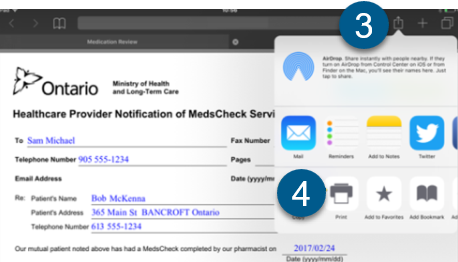
From an iPad, press the Share
 button at the top right of the screen.
 -
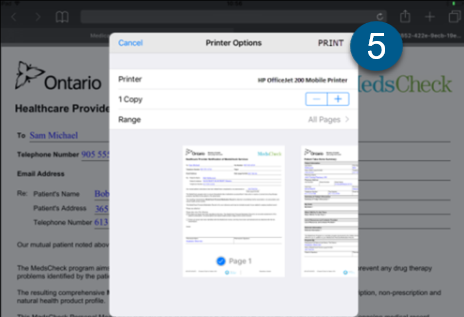
Select the Print icon. The Printer Options window opens.
-
Ensure the wireless printer name appears. Press Print.
Related Topics
Configuring an iPad for Medication Review